Asset Type
Framework
Price
Showing 616 high-quality assets
Features • The GFX Pawnshop script is compatible with QB or ESX. • In the GFX Pawnshop script, your players can sell items you specify at designated pawnshop locations. • For some items, you can add a sales quantity check, ensuring that players cannot sell the item unless they meet the specified quantity. • The GFX Pawnshop script includes a boss system that allows your players to own their pawnshops. Players can purchase a pawnshop at a specified location and control the number of items available for sale as well as toggle the visibility of items in the menu. • Additionally, pawnshop owners have a menu with these features: editing saleable items, viewing sales statistics, and accessing the pawnshop’s cash register. Requirements • oxmysql or ghmattimysql or mysql-async
by gfx development
Features A FiveM weapon shop inspired by Counter-Strike 2! Menu colors can be easily edited from the files, just like in CS2. The contents and prices of the gun shop can be easily configured through the config. Weapons purchased from the gun shop can be set as items or directly given to the character's hand through the config. Requirements • None (If you configure it to give items through the config, you should use either ESX or QB frameworks.)
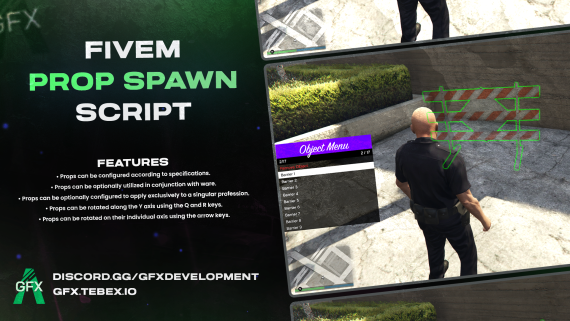
Features • Props can be configured according to specifications. • Props can be optionally utilized in conjunction with ware. • Props can be optionally configured to apply exclusively to a singular profession. • Props can be rotated along the Y axis using the Q and R keys. • Props can be rotated on their individual axis using the arrow keys. Requirements • Standalone (If you want to set the props to use the job and the item, your framework must be QB or ESX. If you want to implement them to you server if your framework is not ESX or QB, the necessary files are also unencrypted in the Escrow version.)
Features If you open the marker menu with the button you set on the config and hover the mouse over the marker you want and close the menu, you will have a marker. You can add new markers with the help of the ytd file and config file in the script. There are 6 markers preset. you can add new markers, up to 9 markers can be added. Requirements • You must have a squad or team system and you need to connect the marker system to your squad system.